



Showing posts with label computers. Show all posts

Sunday, February 6, 2011

Why should a grad student blog?


Should I or should I not? But before you dismiss blogging as a time waster while you’re in grad school, here are some of the valid reasons why a grad student should maintain a blog:

Relieve stress. Stress is inevitable when you’re in grad school. Lots of reports, readings, and other requirements could eat you up in whole. Sometimes we need a diversion, something that takes our mind out of the academic hassles. Writing is a form of diversion. In grad school we write about scholarly topics in order to impress our professors. When you blog you write to impress yourself and your target readers. Never mind if you don’t have more than 10 readers. Somehow, somebody out of the billions of internet surfers will find your blog through a search engine. Plus, you’ll have your family and friends as loyal readers, what more can you ask for. Furthermore, nothing beats the feeling of seeing your writing being published online.

Understand technology. Let’s face it, we have to catch up with it. The internet is not just for teenagers it’s for everyone. It has revolutionized our concept of communication. When you blog, you’ll learn about the concept of web traffic, search engine optimization, social media, internet security, web programming, etc. This is a practical example of “learning by doing”.

Publish your ideas. You got into grad school because you want to be an expert of a specific field. Because of that, you are expected to have something to say that relates to your field. What better way to publish what you think about certain issues than through a blog. It’s easier, faster, and more convenient than traditional media.

Sustain your interest. If you stay in grad school within 3 to 5 years. How long can you sustain your interest in that field? Blogging helps you focus your interest in your field if you keep on posting articles related to what you are majoring in. Furthermore, blogging is not only about writing posts, it’s also about researching, editing, publishing, and marketing it. This is something that keeps you on your toes while in grad school.

Establish internet presence. Blogging is a way of showcasing your skills. What you write about tells a reader what you are interested in and what your expertise is. The growing trend in human resource recruitment nowadays is to google applicants in order to find out something about them. A blog puts your name on top of a Google search (it really does) so people interested in you (or your work) can easily find you. Try googling my name, and see the results. Moreover, an internet presence can also be a marketing strategy especially if you are offering consultancy services.

I’m not saying that blogging can be appropriate for all grad students. However, I believe that for every endeavor to be successful, it should be enjoyed by the one doing it. For someone to enjoy blogging, a good reason for doing it should be a prerequisite.

What’s your take on this post? Please do share it with us. Use the comment link below.

Friday, February 4, 2011

Statistically Excellent: the free eBook by Mike Arieh Medina

I wish I had studied inferential statistics in high school.

I wish I had invented linear regression.

Or renamed the Fisher’s test into Mike’s test.

I guess that will never happen. It’s too late.

Statistics are however growing into a more diverse field in terms of application: natural sciences, social sciences, marketing research, political science.

The fact that statistical software packages intensified the use of statistics in the decision making process in businesses, the academe, and even in the government makes it even more challenging.

These software packages however are expensive. Colleges and universities in fact spend almost a million pesos in order to get a licensed version of these programs.

Good News! You know MS Excel right? The Microsoft Office application composed of rows and columns. This is mainly used for spreadsheets solutions in the finance department. I’m telling you it’s also a statistical data analysis tool. No! I’m not only referring to graphs and charts. The real deal: inferential statistics, the one used for hypothesis testing.

Here’s an eBook I wrote and published for free.

This is not however an eBook for interpreting statistical results, it’s about computing it, without using your scientific calculator, tons of scratch paper, and pages of equations.

It’s small enough to email to your friends or maybe post in your Facebook wall.

Anyway here’s the link again (statex.pdf)

Tuesday, February 1, 2011

Extreme websites to spike up your surfing experience

Just when you thought that you have visited all of the interesting sites in the internet, you might just as well try these sites that pushed it to the extremes. The first, the smallest, the highest, the most, and the longest in the world wide web is featured in this post.

The First Website

The world’s first website’s URL was nxoc01.cern.ch. The very first web page was http://nxoc01.cern.ch/hypertext/WWW/TheProject.html. That site shut down a long time ago. But here’s an archive file of that web page.

http://www.w3.org/History/19921103-hypertext/hypertext/WWW/TheProject.html

Smallest Website

http://www.guimp.com/

The world’s smallest website is smaller than your fingernail. Measuring only 18 by 18 pixels, it’s a site that’s full of fun projects including pong, pacman, and even a blog! Just use a magnifying glass if you wish to stay long in the site.

The Highest Website

http://worlds-highest-website.com/

As the site claims, it’s currently 18.939 kilometers high (about 11.77 miles). You can scroll it down the traditional way or use an elevator to travel from top to bottom. Enjoy climbing!

The Weirdest Website

http://wwwwwwwww.jodi.org/

Even the URL sounds wwwwwwweird! This site looks like a blinking ASCII art. When I tried to view the page source I thought it’s a blueprint of a nuclear bomb.

Most Pointless Website

http://kimjongillookingatthings.tumblr.com/

A gallery of North Korean leader Kim Jong-Il‘s photos when he’s looking at things. Currently it’s no. 1 in the charts of Pointlesssites.com, a directory of nonsense websites. The pointlessness just makes you laugh. And check it out every now and then because it’s updated every other day and sometimes on weekends too!

Longest Email Address

http://www.abcdefghijklmnopqrstuvwxyzabcdefghijklmnopqrstuvwxyzabcdefghijk.com/

It’s a free email service. You can sign up for it. Then your email address would be like this: 
mikemedina@abcdefghijklmnopqrstuvwxyzabcdefghijklmnopqrstuvwxyzabcdefghijk.com

What do you think of this list? Is it interesting? Is it awful? Tell me. Just use the comment link below.

Friday, January 28, 2011

The ABC’s of Facebook

Facebook is the world’s leading social networking site today. Approximately 600 million users and you just can imagine the friendships, collaboration, and connection this site can provide. No wonder its no. 2 in website traffic (second only to Google.com).

I do have a Facebook account too, and I tried hard to utilize some of its countless features in order to be up in the game. I can’t be sure that this Facebook thing is just a fad but here are the reasons why and how I use Facebook.

AActive Social Life. Facebook definitely brings you near to friends, classmates, colleagues, even though they are far away. Let’s face it; you don’t need to meet these friends personally just to be updated with what’s going on with their lives. Their status updates, comments, photos, and videos will tell us in some way what’s going on with their lives. In much the same way you can also share with them what’s going on with yours. Comments, personal messages, online chat, and group features of Facebook can be utilized to connect with your friends anytime and anywhere.

BBring Traffic into my Blog. Yes! Facebook is one of my traffic drivers for Grad School Jungle. Every now and then I share some blog posts using the link sharing capabilities of Facebook. Statistics show that there are viewers of my blog which was referred to by Facebook. However, I’m careful enough not to do it frequently so as not to abuse Facebook’s News Feed features. The internet community calls this abuse as spamming.

CConstant Communication. This is the main essence of social networking. Without which it won’t be social and it won’t be networking. And hey! I think people now opens their Facebook account first before they open their e-mail accounts. Sometimes I even prefer using the personal message feature if I want to contact my friends instead of emailing them. My high school classmates even organized our reunion using the events and group features of Facebook.

Grad School Jungle has a Facebook page too. If you want to be updated of recent posts, news and articles through Facebook, just press the LIKE button in the page.

Tuesday, January 25, 2011

How to perform descriptive statistics using MS Excel

Here’s a way to do some descriptive statistics using the MS Excel Analysis ToolPak add-in.

1. Encode your data vertically in a worksheet.

2. Click the Data tab, and then click the Data Analysis command icon. If you cannot see the Data Analysis command in your Excel application, read the previous post to learn how to load the Analysis ToolPak add-in.

3. In the Data Analysis dialogue box, select descriptive statistics, and then click Ok.

4. In the Descriptive Analysis dialogue box, enter the input range and the output range values, check the descriptive statistics you wish to be computed (summary statistics, confidence level, etc.) and then click Ok. Note: If you have included the column title in the input range, check Labels in first row.

5. The results will be displayed in the output range you have specified.

I've finished writing an eBook for inferential statistics using MS Excel. And you know what? You can get it free here in Grad School Jungle..

How to load the MS Excel add-in for data analysis

The Analysis ToolPak is a Microsoft Office Excel add-in. This is a program that is available when you install Microsoft Office or Excel. This add-in is an indispensable tool for data analysis be it for descriptive or inferential statistics for your data set. After installing MS Office however, you don’t see it in the Data tab during your first use. In order to use it in Excel you need to load it first. 

1.Once you have opened MS Excel, click the Microsoft Office Button, and then click Excel Options at the lower left part of the dialogue box.

2.Click Add-Ins found in the left panel of the dialogue box, and then in the Manage box found at the lower part, select Excel Add-ins, then click Go.

3.In the Add-Ins available dialogue box, click the check box for the Analysis ToolPak, and then click OK.

Note:  If Analysis ToolPak is not found in the Add-Ins available dialogue box, click Browse to locate it.

If you get a notification that the Analysis ToolPak is not currently installed on your computer, click Yes to install it.

4.After you have loaded  the Analysis ToolPak, the Data Analysis icon will now be available in the Analysis group on the Data tab.

Let’s try how this add-in works! Read the next post to try some simple descriptive statistics using the Data Analysis command.

Thursday, January 6, 2011

How to use Wikipedia (without citing it)

Wikipedia is the largest repository of encyclopedia articles in the internet today. Depending on the source, Wikipedia claims to have around 2.5 to 3 million article entries in its website. This may have been the greatest invention in the information world as of the moment. However, as I have stressed out in one of my previous posts (Using Wikipedia for research in grad school), issues with reliability of its content have been constantly challenged. A reason for this is that practically anyone can contribute to a Wikipedia article. This makes it vulnerable to pranksters, or anyone who wishes to misinform the public, or advance their political intentions.

This issue caused it to be banned on some universities from being cited as a resource in an academic paper. Although other universities and colleges doesn’t ban its citing outright, professors discourages students from doing it. So if you’re planning to cite Wikipedia as a source for your papers, better think twice because it has been a common understanding among professors that citing encyclopedia is equivalent to laziness and at the very least idiocy of the one doing it.

This doesn’t mean however that we should not use Wikipedia totally. In fact Wikipedia is a very helpful resource in writing an academic paper especially when you are in grad school and that’s even without you citing it. Here are the reasons why:

1.It provides interesting background information on the subject. Almost always, a Wikipedia entry starts with its definition. Furthermore, the history, origin, and the evolution of the concept are explained in the entry. This provides you with a contextual atmosphere when writing an introduction to your intended academic paper.  (ex. It’s much interesting to write about a topic on environmental ethics when you know something about its history and how it has evolved into what it is at the present).

2.The hyperlinks provide you with information on related topics. Internal links in a topic entry leads to other entries in Wikipedia that are related to the topic you are researching. These provide you with a more thorough knowledge of the topic which can be reinforced with your information on the other topics related to it.

3.Reference links leads you to the website where the original literature in which the cited reference in the Wikipedia entry can be viewed. So even if Wikipedia articles are not that reliable, the references for it mostly are. These are the ones that you can cite in order for your academic paper to be reliable too.

4.External links provide you with websites which can supplement the information on a certain topic. Almost always these are also reliable sources of information and more valid as a reference for your intended academic paper.

5.The neutrality policy of Wikipedia encourages contributors to provide the pros and cons of the topic being written. Therefore, an article in Wikipedia can also help you decide where to stand on a certain topic. This helps you in the writing of your conclusion or generalization part of your paper.

The point here is that Wikipedia is helpful in focusing your research through the links being provided. This saves you time from googling for more reliable sources because Wikipedia already has a list of them for each entry. The background on the other hand, helps you to write in context.

Using Wikipedia this way makes you write faster using reliable sources. And writing in context makes your paper a good one.

Sunday, December 12, 2010

Top 5 Computer Tips for Grad Students

To complement my previous post “Computer: a grad student’s best friend”, I compiled some tips in order to efficiently put your computer into good use while in grad school.

Here are the top 5 on my list:

1.Manage your files efficiently. Always do some housekeeping with your files. Discard some unnecessary files. Categorize your files into subjects and create folders for each. And always create back up CD’s or DVD’s of these files at least every month.

2.Manage your email too. Our email accounts have inboxes. However, why do we keep on filling it up with messages we have already read. Try to save read messages somewhere such as folders in your email account. Or better delete it if we don’t need them in the future. The inbox should always be empty just like our physical mailboxes.

3.Don’t exaggerate your PowerPoint presentations. Avoid elaborate slide designs, too much text in a slide, too much animation and sounds. Too much detail is a waste of time.

4.Use search engines efficiently. When you use Google to search for a webpage on a certain subject, don’t type the whole question “What are the different theories of education? Instead use keywords such as “education theories”. This will narrow down your search. Instead of looking for the question, Google will search for pages that contain what you are really looking for in terms of keywords you supply.

5.Don’t clutter your computer desktop. A cluttered desktop is a definitely a mess. Try to transfer some files you won’t be using for a long time. Leave only files that you use frequently in the desktop.

A good computer unit will make our grad school tasks faster and easier. That is if you use it efficiently. If not then it can even do more harm than good.

What are other computer tips that you can share with your fellow readers? Use the Comment link below.

Saturday, December 4, 2010

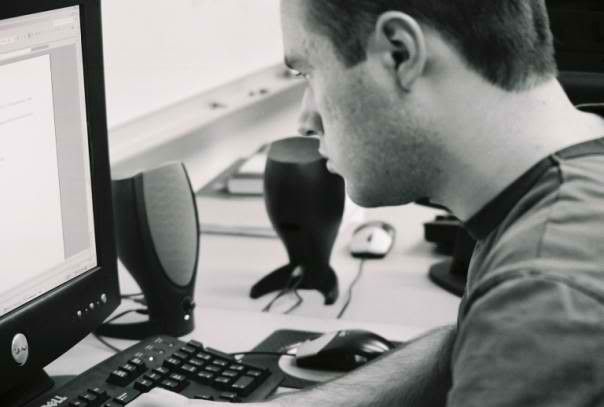
Computer: a grad student’s best friend

Computers are a must for graduate students nowadays. Want to know why? Here are some instances in a grad student’s life when you would definitely need a computer:

• A decade ago statistical computations for grad researches are done either manually or with the help of a scientific calculator. You’ll need pages of scratch paper for this. Nowadays, statistical software such as SPSS, SAS, STATA, and Minitab can compute large amounts of data in seconds.

• Before, presentations by grad students are supplemented by visual aids specifically pieces of manila paper or cartolina (think “BitayMax”). Bullet points are written on it with permanent markers. Imagine what a tedious job it is to prepare pages of that for a 15 minute presentation. Now we have the manna for every grad student, PowerPoint. Pages of visual aids become virtual slides projected into an LCD screen for a small to large audience to see.

• Imagine typing your research paper or even your thesis or dissertation in a typewriter. This is what actually the case is some decades ago. How would you try to type in the page numbers, tables, charts, figures, or diagrams in a typewriter? Imagine the tons of correction paints you need to cover some typographical errors? Maybe that’s the reason why some grad students during that era dropped out of grad school during thesis or dissertation time.

• The arrival of the internet into our lives is what every grad student should celebrate. eBooks, PDF files, and web pages of every topic we can ever imagine can be surfed, browsed, and searched in the World Wide Web with just a few strokes and few clicks.

I entered graduate school for my master’s degree in 2001. Laptops were rare during that time. Even buying a desktop can shave out Php 30-40 thousand out of your pocket. A 128 MB USB drive costs more than a thousand pesos during that time. But I managed to save all my files in 3.5 floppy disks. However to make sure these files are secure, I saved them in my email. It’s all about file management.

Now laptops are everywhere. Desktops are cheap. USB drives can reach up to 16 GB in capacity and can still be affordable. Can’t see no reason why a graduate student won’t invest in a dependable computer set.

In my next post, I'll try to share some useful tips in making your computer useful for grad school.

Friday, November 5, 2010

Using Wikipedia for research in grad school


At grad school you’ll be asked to submit lots of written report. These are in the form of research papers, reaction/critic papers, term papers, etc. The nature of these assignments would require you to cite several written works in order to substantiate your thesis or your main proposition.

There has been lots of debate lately about using Wikipedia for research. Several years ago, a history department from a college in the U.S. banned the citation of Wikipedia on research papers of students. I’m not aware if there are cases in the Philippines that promulgated such policies in colleges and universities.

However, banned or not banned I advice you not to cite Wikipedia in your research papers. Here are some of the reasons.

First, because it’s not credible. Some articles (not all) were done sloppily by individuals with no such credentials to write an encyclopedia entry. I repeat, not all.

Second, by academic standards, encyclopedia in general are not really acceptable sources for research articles. In the same way you cannot use Encyclopedia Britannica, Grolier’s, or even MSN Encarta as citations. Reason: these are general descriptions of the entries not specific ones.

Third, the content changes every now and then. The content of an article that you have read recently may have changed within the hour if a user in some part of the world edits it. Though the original versions are archived and numbered, this would surely be confusing when what the article says an hour ago is totally opposite to what it says right now.

Fourth, professors may not take your paper seriously. Citing Wikipedia is like citing a popular magazine for your scientific research paper. Reason: These are secondary sources of information meaning they are also citing those information from primary sources. Hint: Look for the primary sources (journals, books, government reports, etc.)

Fifth, your professors may think that you are a lazy student. Going directly to Wikipedia to get information hinders you the experience of real research. That is to painstakingly look for dozens or hundreds of sources, taking notes of some important points of each, filtering out the needed literature, composing an outline that will present and substantiate your main proposition, and writing it. The tendency for some students is to start at Wikipedia, (because it usually comes out first in a Google search). And because it seems that all the needed information is there, they practically stop right there too.

Given the above reasons, I hope that this would give an insight on why citing Wikipedia for your research paper is practically a no no for graduate school.

No, I’m not saying we don’t use Wikipedia at all for our research. It’s one of the wonderful things ever thought of in this era. In my future post I’ll provide you with tips on how to use Wikipedia for your research (without citing it).

Note: If you have comments regarding this post, please fell free to add it below.

 
Powered by Blogger